
Stop Guessing and Start Auditing with These Website Audit Steps
Are Your Website Audit Steps Actually Working for You?
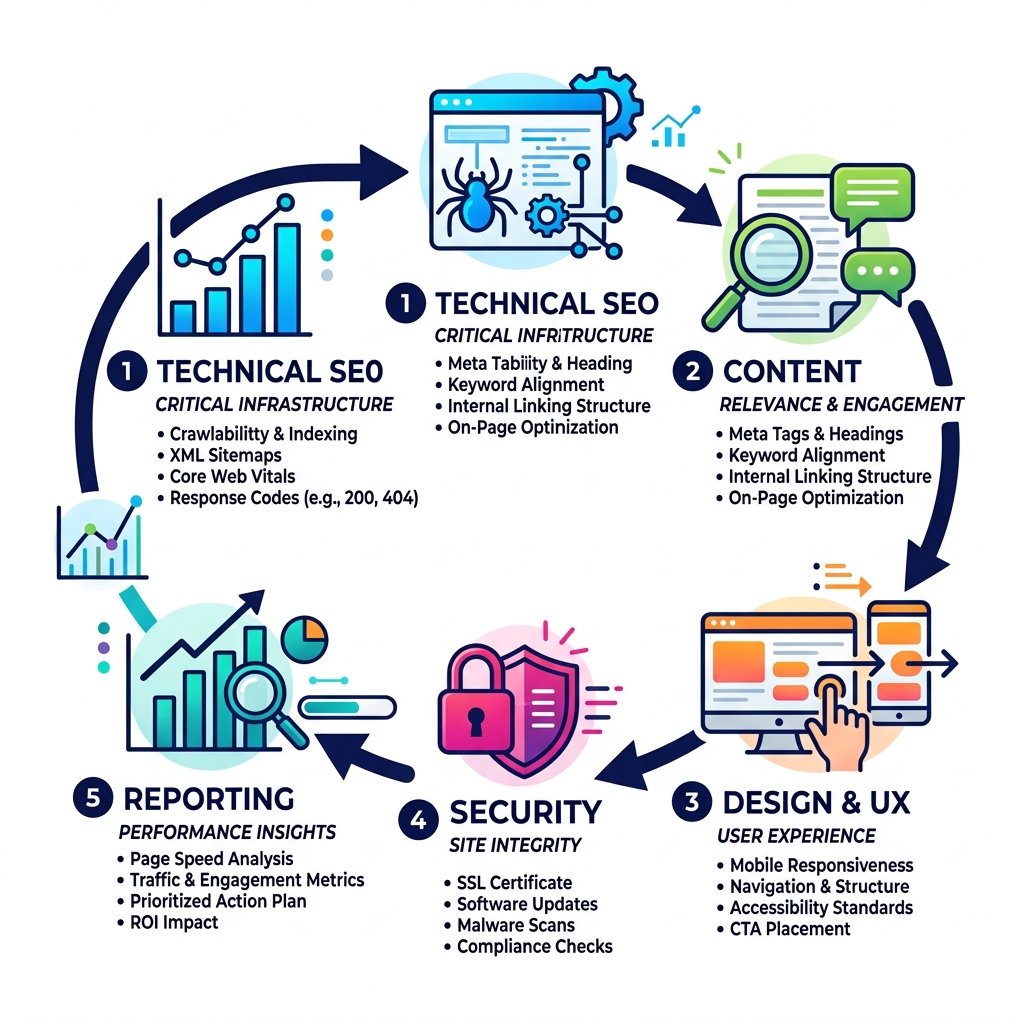
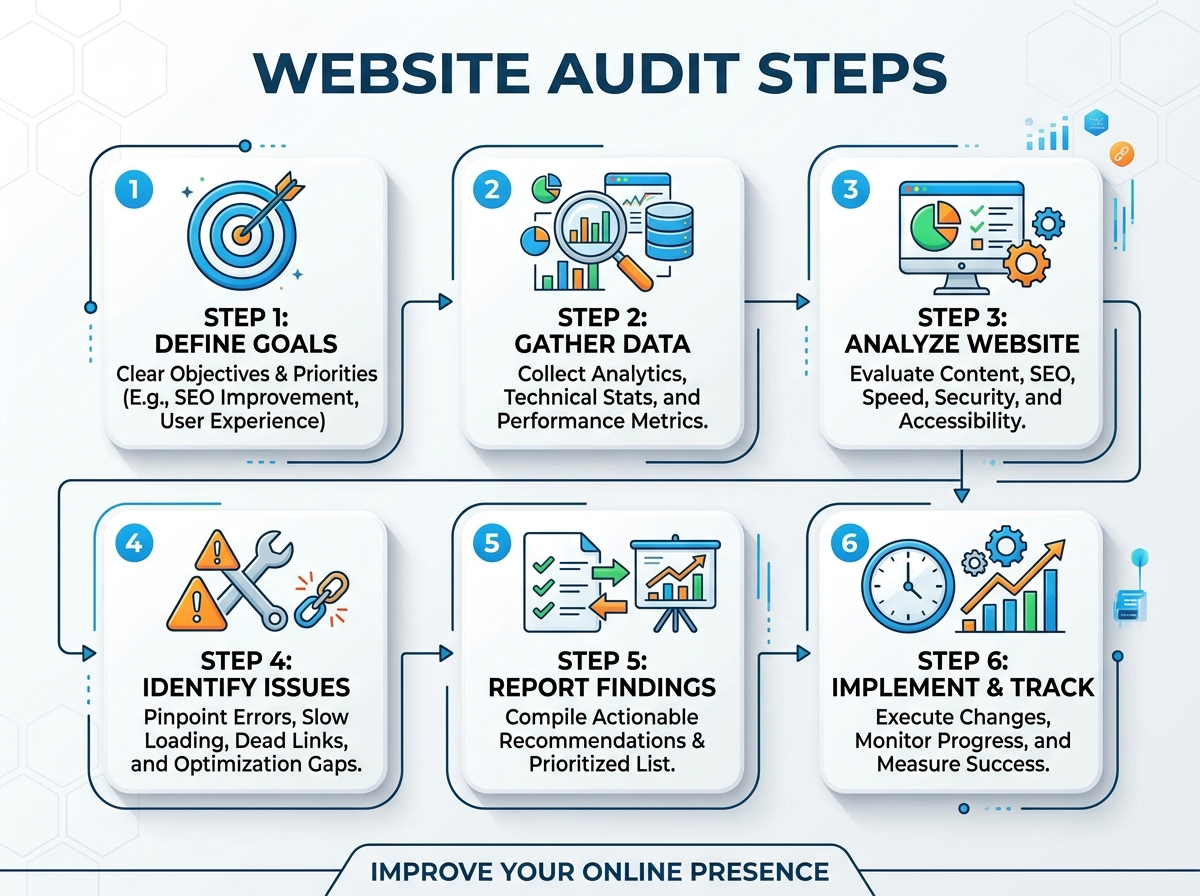
The website audit steps you follow can mean the difference between a site that quietly loses you business and one that consistently drives leads. Here is a quick overview of the core steps to audit your website:
- Check technical SEO – crawlability, XML sitemaps, robots.txt, response codes, and Core Web Vitals
- Review on-page content – meta tags, headings, keyword alignment, and internal linking
- Audit design and UX – mobile responsiveness, navigation, accessibility, and CTA placement
- Run a security check – SSL certificate, software updates, malware scans, and GDPR compliance
- Analyze performance metrics – page speed, bounce rate, traffic sources, and conversion paths
- Build a prioritized action plan – sort findings by impact vs. effort and set a 30-60-90 day roadmap
Your website is not a set-it-and-forget-it tool. It has a shelf life. Algorithms change, user expectations shift, and competitors improve. Without regular audits, small problems quietly stack up into big ones — ranking drops, slow load times, broken forms, and lost conversions — often without any obvious warning signs.
Think of it like a car check-up. You would not drive 50,000 miles without looking under the hood.
I’m Gianna Heron, founder of Herow Marketing, and my background spans Wall Street finance, brand creative direction, and digital strategy — giving me a cross-disciplinary lens that shapes how I approach website audit steps to connect technical fixes directly to business growth. That foundation is exactly what this guide is built on.
Why Your Business Needs Regular Website Audit Steps
In the digital landscape of Bethlehem, PA, a website isn’t just a digital brochure; it’s the engine of your business. However, even the best engines need a tune-up. Research suggests that websites have a “shelf life” of about 1.5 to 2.5 years before technology and user behavior shifts render them outdated. If you haven’t looked at your backend lately, you might be falling behind.
The Ultimate Guide to Performing a Comprehensive Website Audit highlights that an audit is a health check-up for your online presence. Without it, you might miss a sudden traffic drop caused by a Google algorithm update or a slow decline in SEO rankings. Google updates its algorithm hundreds of times per year, and staying compliant is a full-time job.
Regularly performing website audit steps provides several key benefits:
- Recovering Lost Traffic: Identifying why rankings wobbled or why a competitor stole a featured snippet.
- Technical Debt Reduction: Cleaning up “bloated” code, broken links, and outdated plugins that slow you down.
- Mobile-First Indexing: Ensuring your site meets Google’s requirement of being perfectly functional on smartphones, where over 63% of traffic now originates.
- Brand Trust: A broken link or a “Not Secure” warning can shatter a potential customer’s trust in milliseconds.
By staying proactive, we gain a competitive advantage. We don’t just wait for things to break; we optimize them to perform better than they did yesterday.
The Core Pillars of a Full Website Audit
A truly comprehensive audit isn’t just about keywords. It’s a holistic review of how your site functions, feels, and protects its users. We break this down into several key pillars to ensure no stone is left unturned.
| Audit Type | Primary Objective | Key Metrics |
|---|---|---|
| Technical SEO | Ensure search engines can find and read your site. | Crawl errors, Indexation, Site Speed. |
| Security | Protect data and prevent unauthorized access. | SSL status, Malware scans, Update logs. |
| UX/Design | Improve user satisfaction and conversion rates. | Bounce rate, Time on page, CTA clicks. |
| Content | Align information with user intent and E-E-A-T. | Keyword gaps, Readability, Backlink quality. |
At Herow Marketing, we believe that neglecting one area undermines the others. You can have the most beautiful UX Design, but if your technical SEO is broken, no one will ever see it.
Technical SEO Website Audit Steps
Technical SEO is the foundation of your digital house. If the foundation is cracked, the rest of the building is at risk. Here are the essential website audit steps for technical health:
- Crawlability and Indexability: Use tools like Screaming Frog to crawl your site. Are there 404 errors (broken links) or 500 errors (server issues)? We need to ensure Google can reach every important page.
- XML Sitemaps and Robots.txt: Your sitemap is the map for Google’s bots. Ensure it’s updated and submitted via Google Search Console. Your robots.txt file should guide bots correctly, not accidentally block your most important pages.
- Response Codes and Redirects: Audit your 301 redirects. Avoid “redirect chains” where one page leads to another, which leads to another—this kills your “crawl budget.”
- Canonical Tags: Use these to tell Google which version of a page is the “master” copy. This prevents issues with duplicate content, which is common in e-commerce sites with many product variations.
- Core Web Vitals: This is a non-negotiable ranking factor. We look at Largest Contentful Paint (LCP < 2.5s), Interaction to Next Paint (INP < 200ms), and Cumulative Layout Shift (CLS < 0.1).
- Broken Links: 66.5% of links on the web eventually break. Regular checks ensure you aren’t sending users to dead ends. Our Web Development team often finds that fixing just a handful of broken internal links can significantly boost a site’s “link juice” distribution.
Security and Compliance Website Audit Steps
Cyberattacks have increased by 46% year-over-year. For a business in Bethlehem, PA, a data breach isn’t just a tech issue—it’s a legal and reputational nightmare. How to conduct a website audit (with actionable next steps) in 2025 emphasizes that security is now a pillar of SEO.
- SSL Certificates: Ensure your HTTPS is active. Google labels non-HTTPS sites as “Not Secure,” which scares away 85% of users.
- Malware and Vulnerability Scanning: Use tools like Nessus or Burp Suite to check for SQL injections or cross-site scripting (XSS) vulnerabilities.
- Software Updates: Outdated CMS versions (like WordPress or Drupal) and plugins are the #1 entry point for hackers.
- Compliance: Are you meeting GDPR or PCI DSS standards if you handle payments? 40% of data breaches involve public cloud data, with an average cost of $5.17 million.
- Access Controls: Implement two-factor authentication (2FA) for all admin accounts and review user roles. Don’t give “Editor” access to someone who only needs “Subscriber” permissions.
How to Audit Website Design and User Experience
Google research shows that users form an opinion about your website’s attractiveness in less than a second. If your site looks like it belongs in 2005, your Branding is taking a hit every single day.
When auditing UX, we look for “friction.” Friction is anything that stops a user from completing their goal.
- Mobile Responsiveness: With over 60% of traffic coming from mobile, your site must be “thumb-friendly.” Check for “rage clicks” where users tap a button repeatedly because it’s too small or unresponsive.
- Navigation Flow: Can a user find what they need in 3 clicks or less? If your menu has more than 7-8 items, it’s too complex. We often use “card sorting” to reorganize content into more intuitive categories.
- Accessibility (WCAG): This is no longer optional. Ensure high color contrast, keyboard navigability, and alt-text for all images. Accessibility improvements often lead to better SEO because search bots read alt-text to understand images.
- Visual Hierarchy: Does the most important information stand out? Use larger fonts and bold colors for your primary Value Proposition.
- CTA Effectiveness: Are your “Contact Us” or “Buy Now” buttons placed in the first 1/3 of the screen? We use heatmap analysis (like Hotjar) to see exactly where users are looking and clicking. If they are clicking on an unlinked image, that’s a sign you need to turn that image into a CTA.
Creating an Actionable Audit Report and Prioritizing Findings
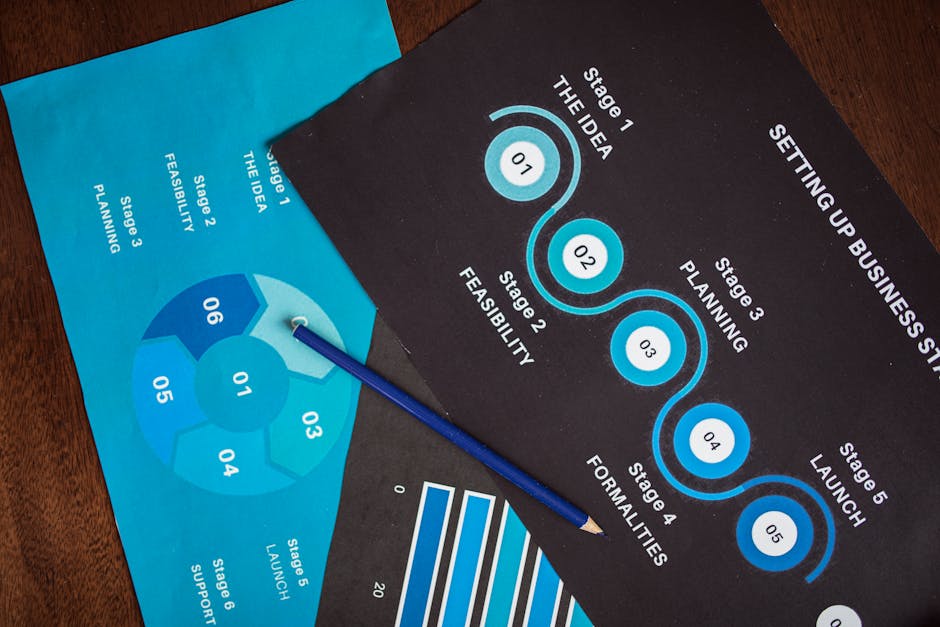
An audit without an action plan is just a list of problems. At Herow Marketing, we turn data into a strategic roadmap. We use an Impact vs. Effort Matrix to decide what to fix first.
- Quick Wins (High Impact, Low Effort): Fixing broken links, updating meta titles, or compressing large images. These can often be done in a few hours and show immediate results.
- Major Projects (High Impact, High Effort): Improving Core Web Vitals, restructuring site navigation, or rewriting thin content.
- Fill-Ins (Low Impact, Low Effort): Updating the copyright year in the footer or minor CSS tweaks.
- Thankless Tasks (Low Impact, High Effort): These are usually ignored unless they are required for compliance.
We recommend a 30-60-90 Day Roadmap:
- Day 1-30: Fix all critical errors (404s, security vulnerabilities, robots.txt blocks).
- Day 31-60: Optimize on-page elements and content quality.
- Day 61-90: Focus on UX enhancements and building high-quality backlinks.
Transparency is part of Our Services philosophy. We provide monthly data reports so you can see exactly how these fixes are moving the needle on your KPIs.
Frequently Asked Questions about Website Audits
How often should I perform a website audit?
We recommend a comprehensive audit at least twice a year. However, if you are in a highly competitive industry or have a dynamic e-commerce site, quarterly mini-audits are better. You should also trigger an immediate audit if you see a sudden traffic drop, after a major site redesign, or following a significant Google Core Update.
What are the best tools for a website audit?
No single tool does it all. We use a “stack” of experts-choice tools:
- Crawling: Screaming Frog or Semrush Site Audit.
- Performance: Google Search Console, GA4, and PageSpeed Insights.
- UX/Behavior: Hotjar or Microsoft Clarity for heatmaps and session recordings.
- Security: Nessus, OpenVAS, or Google’s Mobile-Friendly Test.
- Accessibility: WAVE or Axe DevTools.
How much does a professional website audit cost?
The cost varies based on site complexity. A small local business site might cost a few hundred dollars for a basic review, while a massive e-commerce platform with thousands of pages can cost several thousand. When you hire experts, you aren’t just paying for a tool—you’re paying for the pattern recognition and manual testing that automated scans miss. For example, a tool might see a button works, but a human will notice that the button’s text is confusing to your target audience.
Conclusion
Following the right website audit steps is the only way to ensure your digital presence is actually supporting your business goals. Whether it’s securing your data, speeding up your pages, or ensuring your brand voice is heard loud and clear through high-quality content, an audit is the first step toward measurable growth.
At Herow Marketing, we don’t believe in guesswork. Our strategic playbook is built on data transparency and a commitment to seeing our Bethlehem, PA partners succeed. We take the complex world of technical SEO and UX and turn it into a clear, actionable plan for your business.
Stop wondering why your competitors are outranking you or why your bounce rate is high. Let’s look under the hood together.
Start your comprehensive SEO audit today and turn your website into the high-performing sales machine it was meant to be.