
CMS Website Design and Development: From Sketch to Scalable Site
CMS Website Design and Development: From Sketch to Scalable Site
Understanding Craft CMS Architecture and Content Modeling
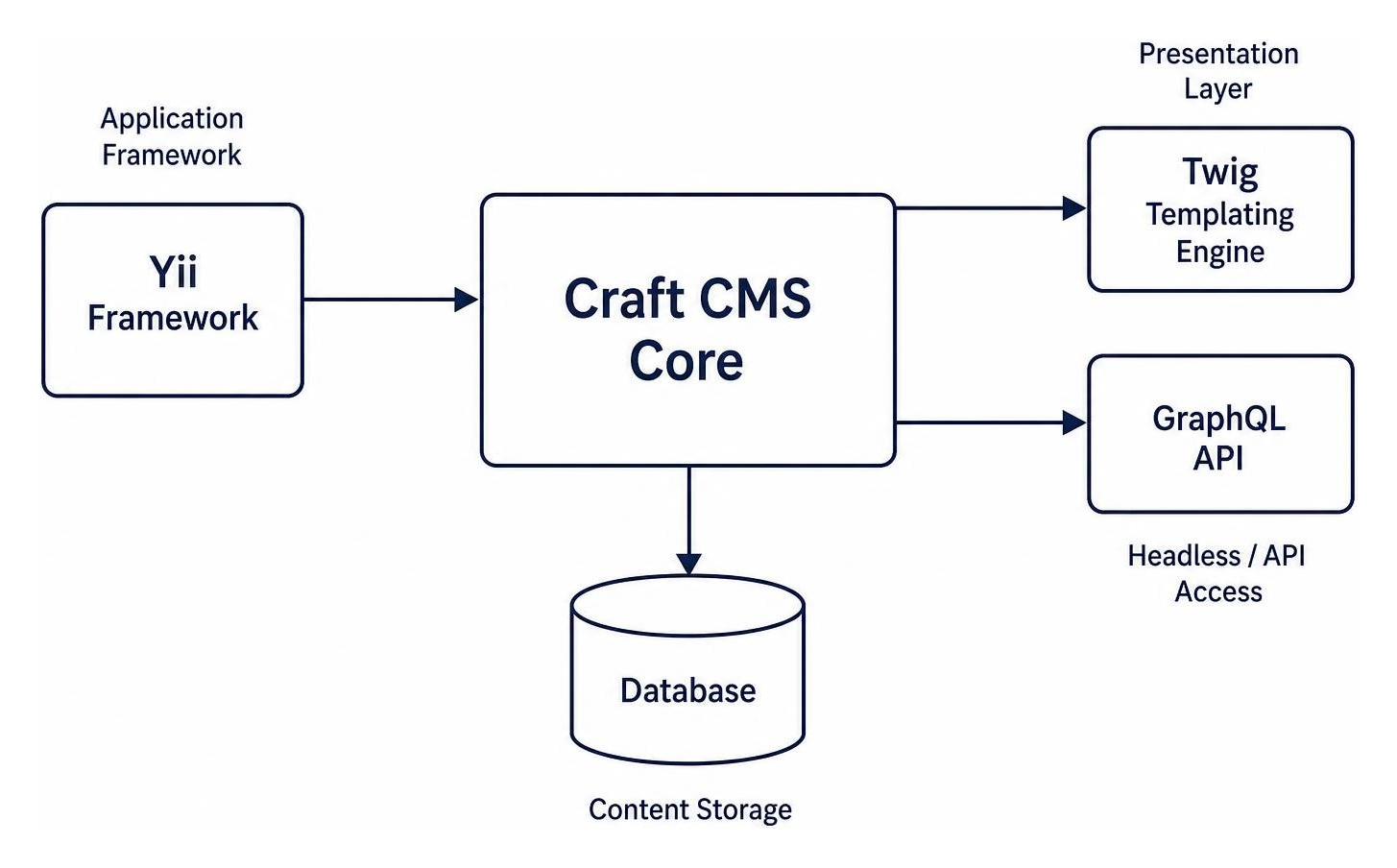
When evaluating digital management tools, understanding the underlying technology helps explain why a platform performs so exceptionally well. Craft CMS is engineered on the Yii PHP framework—a high-performance, component-based PHP framework launched back in December 2008—and uses Twig as its core templating engine (released in 2009). This pairing offers a secure foundation free from the bloated code, security vulnerabilities, and plugin conflicts typical of traditional content managers. Built-in CSRF protection, automatic output encoding in Twig, and clean SQL abstraction ensure your digital assets remain safe and responsive under heavy production workloads.
Instead of forcing your design into restrictive, pre-packaged themes or opinionated design systems, Craft gives developers complete freedom to write custom HTML, CSS, and JavaScript. If you want to dive deeper into how this approach eliminates design constraints and speeds up loading times, check out our guide on Stop Wrestling with Themes: A Developer’s Guide to Choosing a CMS.
Craft’s architecture native capabilities include:
- Live Preview: Content editors can split their screen and view modifications in real-time across various viewports before hitting publish.
- Multi-Site Architecture: Manage multiple distinct websites, regional brands, or micro-sites from a single control panel setup with localized content fields.
- Headless Capabilities: Build custom decoupled front-ends using Craft’s self-generating GraphQL API alongside traditional server-side Twig rendering.
Content Structures: Singles, Channels, and Structures
Craft CMS handles content architecture logically without pushing everything into standard posts or pages. A specialized craft cms website developer organizes your site using three core section types:
- Singles: Dedicated one-off pages with distinct content requirements, such as your homepage, contact page, privacy policy, or terms of service.
- Channels: Repeatable content streams organized chronologically or alphabetically, ideal for news, blog posts, press releases, case studies, or team member profiles.
- Structures: Repeatable content entries that require a defined, explicit hierarchy or custom user-driven menu order, such as documentation guides, nested service offerings, or organizational charts.
Matrix Fields and Flexible Layout Blocks
The hallmark of Craft’s author experience is its Matrix fields. Matrix fields allow developers to create modular page layout blocks for content creators. Instead of wrestling with clumsy visual page builders that generate messy, bloated code and inline styles, your editorial team gets structured content blocks (such as text sections, image carousels, video embeds, feature grids, or callouts) tailored directly to your site design system.
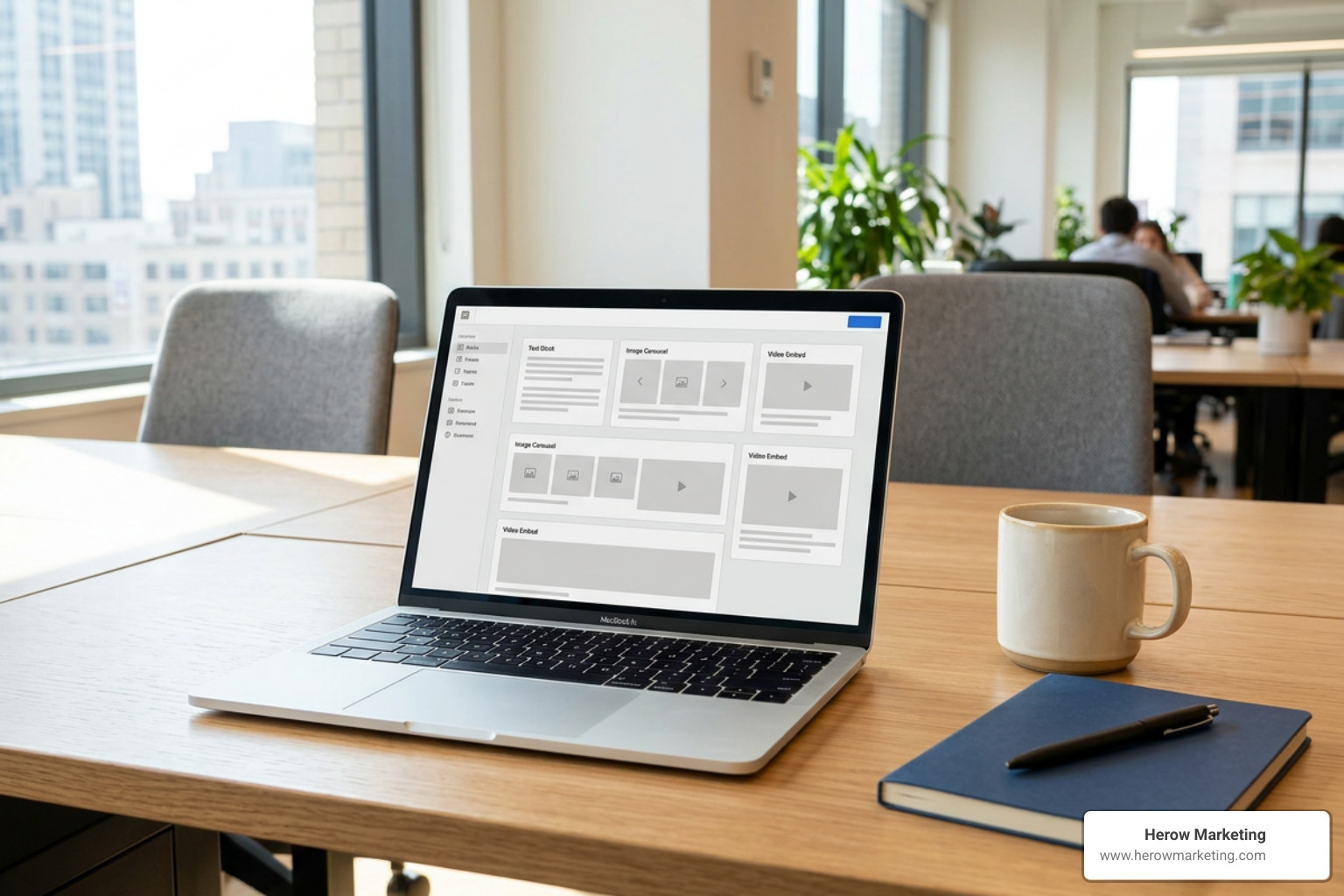
This modular setup gives content editors creative freedom to build dynamic layouts while maintaining strict brand consistency and accessibility standards. You can explore full platform capabilities directly on the official Craft CMS portal.
Why Hire a Specialized Craft CMS Website Developer for Bespoke Projects
Building an enterprise web application requires specialized technical expertise. Working with a dedicated specialist or official partner guarantees your digital asset is structured properly, runs securely, and scales alongside your business goals. A tailored digital strategy ensures your content engine handles high traffic volumes without sacrificing page speed or site security. For a deeper look into custom digital strategies, read our breakdown on Craft CMS Development: Building Bespoke Digital Experiences Without the Bloat.

Essential Services Offered by a Dedicated Developer
A professional craft cms website developer provides end-to-end technical solutions tailored directly to your organization’s operational workflows:
- Custom Development & Plugin Creation: Building custom Yii 2 modules or bespoke Craft plugins when off-the-shelf tools don’t suit your exact business logic or API integrations.
- Platform Upgrades: Executing smooth, zero-downtime upgrades across major platform versions (e.g., upgrading legacy systems to modern releases like Craft 4 or Craft 5).
- Maintenance & Support SLAs: Providing ongoing performance tuning, database optimization, routine security audits, and critical core patches.
- Data Importing & Exporting: Managing automated data pipelines, complex content migrations, static asset transfers, and custom reporting tools.
If you are expanding your internal tech team or seeking specialized contract expertise, checking out A jobs board for Craft CMS developers is a fantastic starting point.
What to Look for in a Craft CMS Website Developer
Evaluating a technical partner goes beyond simply reviewing a portfolio of pretty websites. You need a engineering partner with verified experience in content strategy, custom backend development, and performance optimization.
Look for developers who actively contribute to the open-source community, possess a proven track record across diverse industries (such as fintech, real estate, manufacturing, SaaS, or e-commerce), and maintain transparent project workflows with clean version control habits. Across the globe, there are over 200 official Craft Partners, demonstrating a mature ecosystem of highly skilled agencies and independent specialists.
Core Steps to Build and Scale Craft CMS Projects
Executing a flawless web project requires a disciplined development lifecycle—from preliminary project scoping and architecture design to automated production deployment.
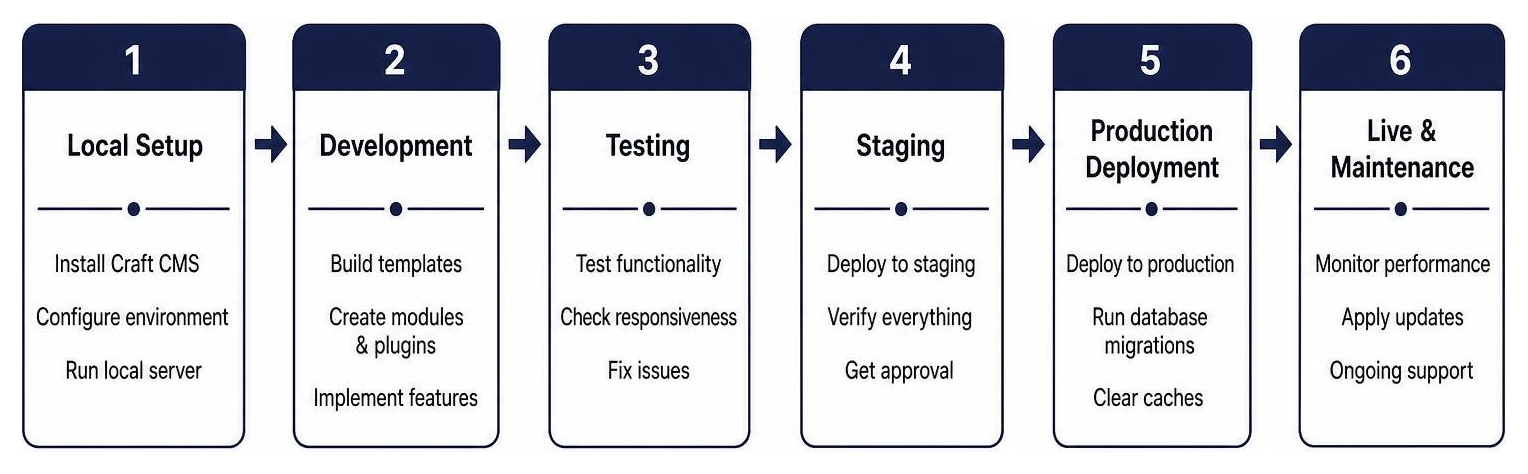
Developers evaluate project architecture choices early in the discovery phase, especially when selecting between traditional server-side rendering and decoupled headless setups:
| Feature / Metric | Traditional Twig Templating | Headless GraphQL API Setup |
|---|---|---|
| Primary Rendering Engine | Twig (Server-Side) | React, Vue, Next.js, Nuxt (Client-Side) |
| Development Speed | Fast out-of-the-box build times | Requires dedicated front-end API wiring |
| Content Delivery | Integrated direct HTML rendering | Decoupled JSON via self-generating GraphQL API |
| Ideal Use Case | Content-rich marketing platforms & stores | Web applications, mobile apps, multi-channel feeds |
Integrating Craft Commerce for Custom Online Stores
For businesses offering digital or physical products, Craft Commerce provides a seamless, enterprise-ready e-commerce solution. Unlike generic shopping cart plugins that bolt rigid store features onto a CMS, Craft Commerce is built natively for Craft CMS. This architectural integration gives developers total freedom over custom cart workflows, multi-step checkout processes, dynamic pricing engine rules, and complex product variant management.
Craft Commerce supports multi-currency configurations, integrated tax calculation engines, promotional sales rules, localized product catalog fields, and seamless payment gateway integrations including Stripe Payment Elements, PayPal, and custom enterprise payment endpoints.
Evaluating a Craft CMS Website Developer for Performance and Security
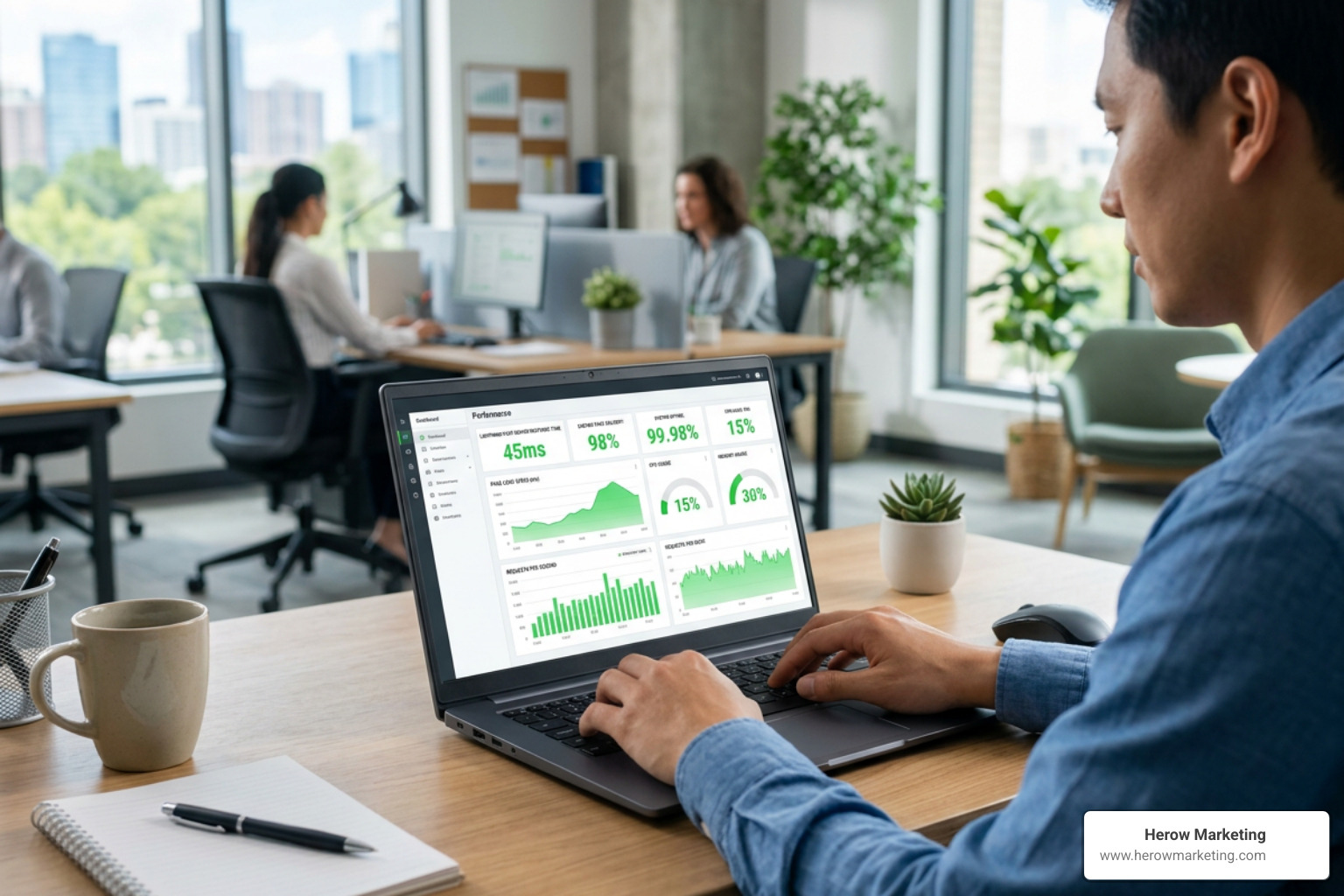
High-performing websites require meticulous server-side tuning and strict coding guidelines. When interviewing developers, ask about their local environment setup, deployment automation, and caching strategies:
- Local Environments: Modern engineering teams use containerized, Docker-based setups like DDEV or Lando for smooth, reproducible development environments across developer machines.
- Static Caching: Leveraging advanced caching plugins like Blitz enables complete static page caching, serving lightning-fast HTML web pages to visitors directly from the edge network.
- Database Optimization: Implementing eager loading in Twig templates drastically reduces duplicate database queries and prevents execution bottlenecks on high-volume pages.
- Security Hardening: Keeping
devModeturned off in production environments, storing sensitive API keys and credentials safely in.envfiles, and managing PHP dependencies cleanly through Composer.
Prioritizing backend performance and clean code directly boosts your search engine visibility and user conversion rates. Read more in our detailed guide on Why SEO-Driven Web Development Is Your Secret Weapon.
Executing Complex Platform Migrations and Learning Resources
Migrating an established website from an old CMS requires careful execution to protect your search engine rankings, incoming backlink authority, and content integrity. For a detailed roadmap on keeping your organic rankings intact during technical site migrations, consult our article on Web Development SEO Integration: Stop Playing Hide and Seek with Rankings.
Overcoming Common WordPress Migration Challenges
Transitioning from legacy WordPress environments to Craft CMS involves transforming unstructured, theme-dependent database tables into clean relational data models. Key migration tasks include:
- Data Transformation: Parsing messy WordPress post HTML and shortcodes into structured, modular Craft Matrix fields.
- Asset Migration: Transferring media libraries, organizing assets into dedicated volume folders, and remapping image references securely.
- 301 Redirect Mapping: Preserving existing URL structures and implementing strict 301 redirect maps to protect legacy SEO history and prevent broken links.
- Dynamic Routing: Re-establishing dynamic category structures, author profiles, internal tagging systems, and custom taxonomies smoothly.
Essential Tutorials and Community Hubs for Craft Beginners
The Craft platform boasts a welcoming, highly active global developer ecosystem that provides continuous education and software support:
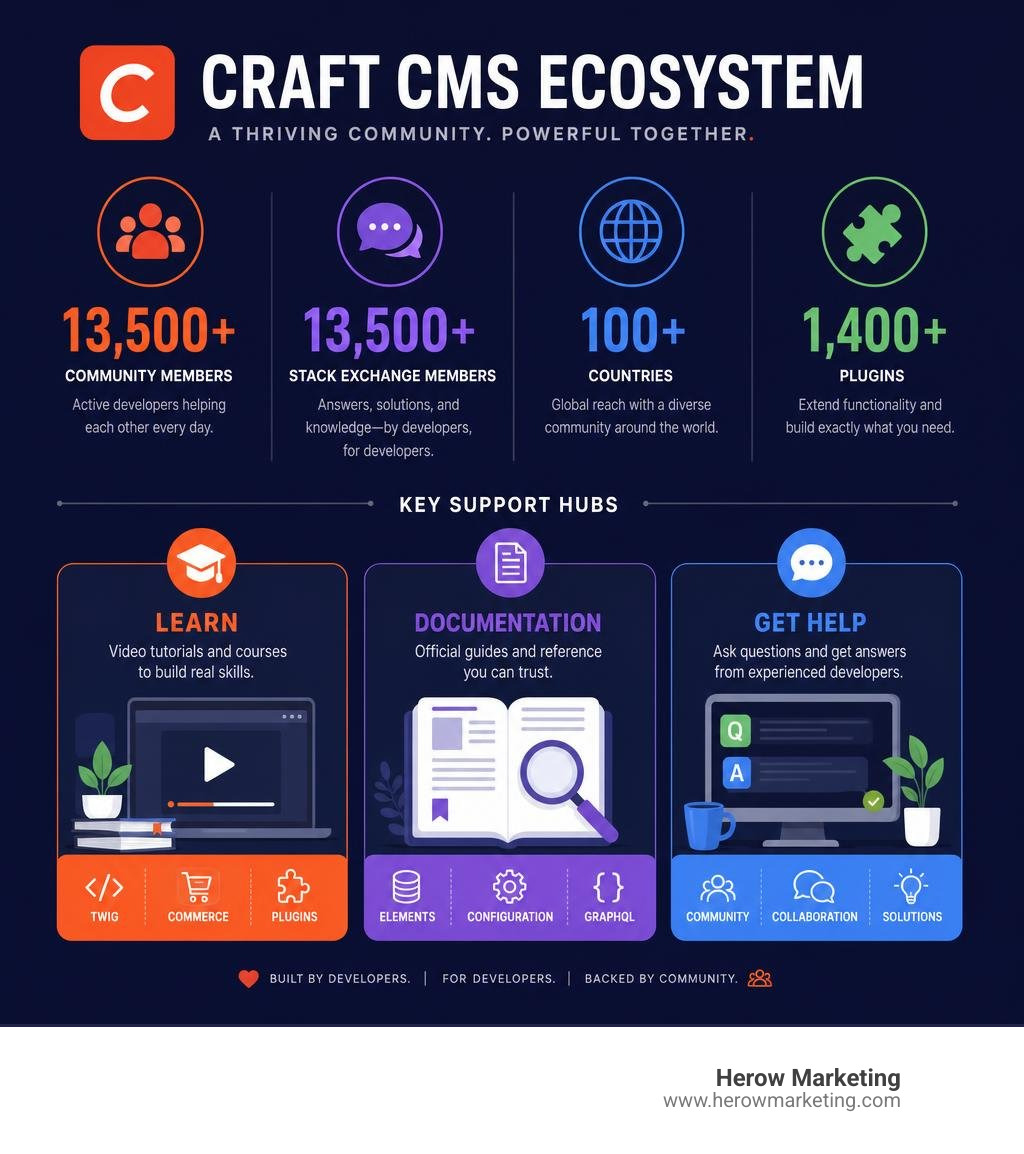
Top learning resources and support portals for technical teams starting out include:
- CraftQuest: Premium video tutorials and structured courses covering Twig templating, Craft Commerce integrations, and custom plugin development.
- Official Craft Documentation: Authoritative technical guides detailing element queries, system configuration options, CLI tools, and GraphQL usage.
- Craft CMS Stack Exchange: A thriving community Q&A hub boasting over 13,500 members providing fast technical troubleshooting and solution architectural advice.
- Official Discord Community: An active real-time community of over 8,200 members where developers, agency partners, and core maintainers collaborate daily.
Frequently Asked Questions About Craft CMS Development
Why should you choose Craft CMS over WordPress?
Craft CMS provides a clean, secure control panel tailored directly to your content strategy, eliminating bloated themes and risky third-party plugin dependencies.
How does Craft CMS handle multi-site and internationalization?
Craft features native multi-site management, localized content fields, and a control panel admin interface translated into 25 languages.
What is the soft limit for multi-site installations in Craft CMS?
Craft CMS maintains a soft limit of 100 distinct sites within a single installation, while handling databases with tens of millions of elements with proper caching and infrastructure.
Conclusion
Building a high-performing digital platform requires a strategic vision, clear architecture, and an expert technical team. Partnering with an experienced craft cms website developer ensures your website is fast, secure, and ready to scale alongside your organization. To explore how bespoke content platforms drive digital growth, read our article on Why Your Business Needs Professional CMS Development Services Today.
Ready to elevate your digital presence with a bespoke, scalable website? Connect with our expert team today through our dedicated Web Development Services page to start planning your next digital build!